


KeyConnect Digital Car Key
4.62.44K Reviews
App Specs
- Version
- 2.5.0
- Updated On
- License
- Free
- Downloads
- 1,000,000+
- Developer
- Apponfire Co. Ltd.
- Categories
- Auto & Vehicles
- Platform
- Android
Screenshots
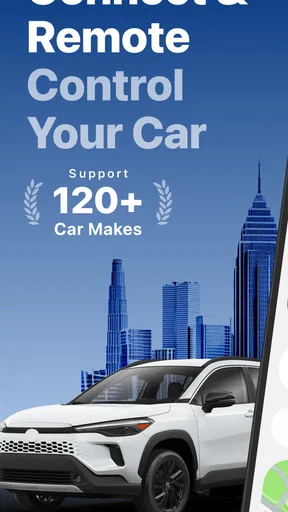
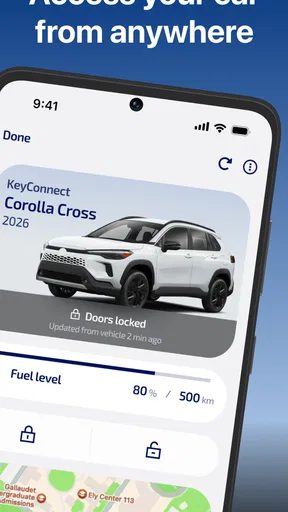
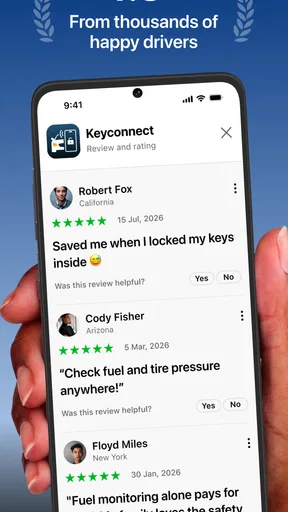
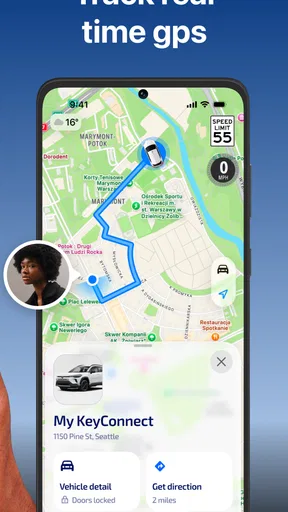
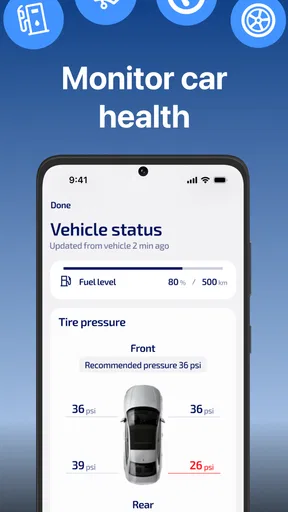
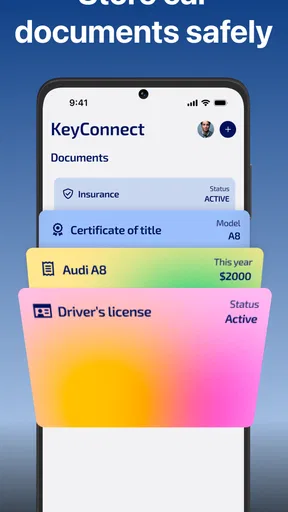
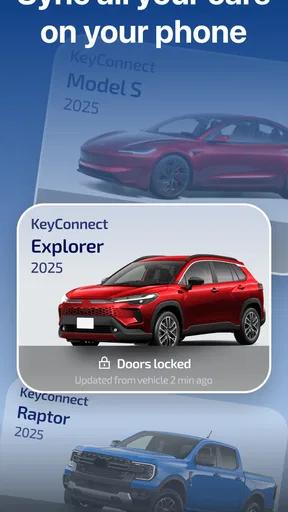
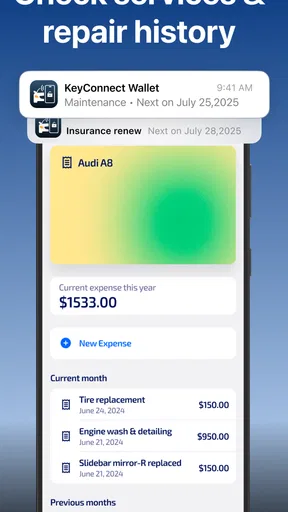
 Analysis by AppCompare
I see the appeal of a digital car key most clearly on days when I’m juggling a bag, coffee, and the usual rush out the door. KeyConnect Digital Car Key is built around that practical convenience: it lets you connect with a compatible car and manage key functions from your phone. My view is that it can be a useful extra layer of convenience, but it should not be treated as a universal replacement for a physical key before you’ve checked whether your vehicle and your routine are a good fit.
Check the car before planning around the app
The first question I’d answer is not how polished the app feels, but whether it supports the exact vehicle you intend to use. Digital-key compatibility is the gatekeeper here. A car owner who confirms support before changing their habits can make a sensible trial; someone who assumes that any modern vehicle will work may download the app only to find that it does not fit their setup. I’d check the compatibility information first, then treat installation as the next step rather than the other way around.
That check matters especially if the car is shared in a household. The person who drives it most often may be willing to rely on a phone, while another driver may prefer a conventional key or may use a different phone. Before making the app part of a shared routine, agree on who will have access and keep a clear backup plan. Convenience is useful only when it does not leave another driver unsure how to get into the car.
A practical tool, not a reason to abandon every backup
Remote control can be helpful when your hands are full or you want to lock the car after walking away. But I’d separate those moments from the more consequential question of whether I can still get in if the phone is unavailable. A drained battery, a misplaced phone, or weak reception can turn a small convenience into a real interruption. Keeping the usual key accessible while you learn the app is a sensible way to test it without making your first week unnecessarily stressful.
I’d also be careful about interpreting remote functions too broadly. The app’s summary focuses on connecting to a car and controlling it from a distance, including locking and unlocking. That does not mean every function will behave the same way on every vehicle or in every situation. Before relying on it for a particular task, test that task with your own car while you still have another way to operate it. That simple habit helps distinguish a dependable part of your routine from a feature you have only tried once.
Where it sits among car-key options
Compared with carrying a traditional key, a phone-based approach can reduce what you need to reach for and can make remote access feel more immediate. Compared with a vehicle’s own key system or a manufacturer’s dedicated app, though, the deciding factor is not which option sounds more modern; it is which one is actually supported by your car and works reliably for the people who drive it. If your vehicle already has a dependable built-in solution, I would not switch just for novelty. If you want phone-based control and your car is compatible, KeyConnect is worth considering as a practical alternative to carrying the key for every short trip.
For a shared car, convenience also comes with a small amount of coordination. If digital access can be shared, think through who should receive it and when access should be removed. A quick check after lending the car is more useful than assuming that every access arrangement will manage itself. I would make the person-to-person handoff part of the routine, rather than treating it as an invisible technical detail.
Worth Reading Before You Choose

Flipboard Shows What News Apps Must Do Beyond the Feed

Switching to Android Auto Means Rethinking Your Driving Routine

Google Calendar Makes a Crowded Week Easier to Manage

Ludo King Makes the Most of the Minutes Between Plans

Baby Panda World Brings Quick Play to Modern Phones, but Its Game Library Feels Busy

ESPN’s Live Game View Makes Following Close Games Easier
The app is free to download, with in-app purchases listed from $8.99 to $99.99 per item, so I’d look carefully at what any purchase offers before paying. Its Everyone content rating makes it broadly accessible, but that should not be confused with universal vehicle compatibility. Those are separate questions: one is about who can use the app, and the other is about whether it can work with the particular car you own.
For a realistic test, imagine arriving at a supermarket with shopping bags and wanting to check that the car is locked after you have walked away. That is the kind of small, ordinary moment where remote control could earn its place. I would try it first while parked somewhere familiar, confirm the response, and repeat the test before relying on it in a hurry. A calm trial is a better measure of usefulness than discovering how it behaves when you are late or standing in poor reception.
There is also a privacy and account-management angle worth thinking through before sharing access. A digital key is not just a convenience for the person holding the phone; it changes how access to the car is handed over. I’d use it only with people I trust, review who should retain access after a temporary loan, and avoid treating a shared key as a substitute for a conversation about when the car is available. That is a practical safeguard, not a reason to avoid the app.
The First Impression
Downloading and setting up KeyConnect Digital Car Key was a breeze. The app’s interface is sleek and intuitive, making it super easy to navigate. I was a bit skeptical at first—can you really trust your phone to be your car key? But the app quickly put my doubts to rest. After a simple sync process, my phone was ready to unlock my car, no physical key needed!
Features That Stand Out
Let’s dive into what makes this app tick. KeyConnect has a bunch of nifty features, but here are the ones that caught my eye:
- Remote Access: No more frantic searches for your keys. Whether it’s locking, unlocking, or even starting your car, you can do it all from your phone.
- Security: The app promises top-notch security with encrypted connections. I felt pretty safe knowing my car wouldn’t just open for anyone.
- Sharing Keys: Need to lend your car to a friend? You can share digital keys effortlessly, and revoke access just as easily when you need to.
- Compatibility: It works with a wide range of vehicles. Just make sure your car is on the list before diving in.
What’s the Catch?
Now, as awesome as KeyConnect sounds, it’s not all sunshine and rainbows. A few things did bug me a bit. First, if your phone battery dies, you’re kind of stuck, unless you have a backup plan. Also, the app requires a stable internet connection for some features, which might be a hassle in areas with poor reception.
Another thing to note is that not all car models are compatible. It’s a bummer, but hopefully, more cars will be supported in future updates.
The Final Verdict
In the end, KeyConnect Digital Car Key offers a futuristic and convenient way to manage your car keys. If you’re someone who loves tech and hates fumbling with traditional keys, this app is definitely worth a try. Just make sure your phone is charged, and you’re good to go!
So, are you ready to make the switch to digital? Give it a whirl and see how it transforms your driving experience. You might just find yourself wondering how you ever lived without it!
Who is most likely to appreciate it?
I’d recommend this to a driver who already uses a smartphone comfortably, owns a supported vehicle, and wants a more convenient way to handle everyday access. It may be especially useful for someone who often has their hands occupied, checks whether the car is locked after leaving, or occasionally needs to coordinate access with another driver. Those are modest benefits, but repeated across ordinary trips they can make phone-based access feel worthwhile.
It is less compelling for drivers whose car is not compatible, who routinely travel where a connection is unreliable, or who do not want their phone to become part of the process of getting into the vehicle. It is also not my first choice for someone who expects a digital key to eliminate every physical-key backup. If a simple, dependable key already suits your habits, there is no need to add an app just because the idea sounds futuristic.
How I would make the switch carefully
I would begin by installing the app and testing it on a normal day, not immediately before a trip where failure would be costly. Confirm that your own car connects, try the lock and unlock functions while you are nearby, and see how the app behaves from the places where you actually park. Then repeat the routine once or twice with the physical key still available. This gives you a realistic sense of the connection and the steps involved without putting you in a bind.
One useful habit is to decide in advance where the backup key will live. If it is buried in a drawer at home, it may not help when you are already away from home. Keeping a practical backup plan does not cancel the convenience of a digital key; it makes the convenience safer to rely on. I would also make sure other regular drivers know what the plan is, rather than assuming they can work it out when they need the car.
Another trade-off is that a phone combines several roles: communication, navigation, payments, and now possibly car access. That can be tidy, but it also means battery management matters more. If you often finish the day with a nearly empty phone, a digital key may add one more thing to monitor. If your phone is usually charged and close at hand, the change is easier to absorb. The app’s value depends partly on that personal habit, not only on its controls.
What to expect from the product itself
KeyConnect is an Auto & Vehicles app from Apponfire Co. Ltd. Its current version is 2.4.0, and it runs on devices using OS 9 or later. It has an average rating of 4.5 from around 46,000 ratings, with about 1.7 thousand written reviews and over 1 million installs. Those figures suggest that many people have tried it, but they do not tell me whether a specific car will connect or whether the experience will suit a particular driver. Compatibility and a hands-on test matter more to that decision.
I also would not assume that the app’s age rating answers questions about vehicle access, privacy, or suitability for a shared car. Those depend on how you use it and who receives access. If you are considering a purchase within the app, check the item’s purpose and cost before confirming it; the listed purchase range is from $8.99 to $99.99 per item. The app itself is free, which makes trying the basic setup less of a commitment, but any paid option should earn its place in your routine.
My recommendation
My overall take is that KeyConnect is best approached as a useful convenience for a compatible car, rather than a universal replacement for the key in your pocket. The strongest case for it is practical: fewer moments spent searching for keys, easier remote control, and a potentially simpler handoff when another trusted person needs access. The main reservations are equally practical: vehicle support, dependence on a charged phone, and the possibility that some functions need a reliable connection.
If those conditions suit you, I’d give it a careful try and keep your backup key available until the app has proved dependable in your regular parking and driving routine. If you value a fully familiar process, drive an unsupported model, or do not want phone access to become a point of failure, sticking with the car’s usual key system is the better choice. For the right driver, this is a sensible digital convenience; for everyone else, it is optional rather than essential.
Pros
- Seamless integration with most car brands.
- User-friendly interface for easy navigation.
- Supports multiple digital keys for family use.
- Strong security with biometric authentication.
- Quick setup with step-by-step guidance.
Cons
- Limited compatibility with older car models.
- Requires constant internet connection.
- Battery drain if left running in background.
- Subscription needed for premium features.
- Initial setup can be time-consuming.
FAQs for KeyConnect Digital Car Key
What is KeyConnect Digital Car Key and how does it work?
KeyConnect Digital Car Key is an app that allows you to lock, unlock, and start your car using your smartphone. It works by connecting your phone to your car's system via Bluetooth or NFC technology. Once paired, you can control your car's functions with a tap on your mobile device.
Is KeyConnect Digital Car Key compatible with all car models?
KeyConnect is compatible with many modern cars, but not all models support digital keys. Before downloading, check the app's compatibility list on the developer’s website or in the app store description to ensure your vehicle is supported. Compatibility can depend on your car's make, model, and year.
How secure is the KeyConnect Digital Car Key app?
Security is a top priority for KeyConnect. The app employs advanced encryption technologies to protect your data and ensure that only authorized devices can access your car. Additionally, it offers features like two-factor authentication to enhance security and prevent unauthorized access.
What happens if my phone is lost or stolen?
If your phone is lost or stolen, you should immediately disable access to your digital car key through the KeyConnect platform. This can often be done remotely via another device or through contacting customer support. Additionally, consider having a backup physical key for emergencies.
Do I need an internet connection to use KeyConnect Digital Car Key?
No, an internet connection is not required for basic functionalities like locking or unlocking your car, as these are performed via Bluetooth or NFC. However, some features, such as remote access or updates, might require an internet connection to function properly.


